Top Languages Card
The top languages card shows your most frequently used languages.
Copy-paste this code into your readme and change the links.
Endpoint: api/top-langs?username=anuraghazra
[](https://github.com/stats-organization/github-stats-extended)Options
Section titled “Options”You can customize the appearance and behavior of the top languages card using the common options and exclusive options listed in the table below.
| Name | Description | Type | Default value |
|---|---|---|---|
hide |
Hides the specified languages from card. | string (comma-separated values) | null |
hide_title |
Hides the title of your card. | boolean | false |
layout |
Switches between five available layouts normal & compact & donut & donut-vertical & pie. |
enum | normal |
card_width |
Sets the card’s width manually. | number | 300 |
langs_count |
Shows more languages on the card, between 1-20. | integer | 5 for normal and donut, 6 for other layouts |
exclude_repo |
Excludes specified repositories. | string (comma-separated values) | null |
role |
Include repositories where the user has one of the specified roles (OWNER, ORGANIZATION_MEMBER, COLLABORATOR). | string (comma-separated values) | OWNER |
custom_title |
Sets a custom title for the card. | string | Most Used Languages |
disable_animations |
Disables all animations in the card. | boolean | false |
prog_bar_bg_color |
Background color of the bars. (Applies only to normal layout.) |
string (hex color) | #ddd |
hide_progress |
Uses the compact layout option, hides percentages, and removes the bars. | boolean | false |
hide_values |
Hides language percentages or bytes while keeping the progress bars or chart. | boolean | false |
size_weight |
Configures language stats algorithm (see Language stats algorithm). | integer | 1 |
count_weight |
Configures language stats algorithm (see Language stats algorithm). | integer | 0 |
stats_format |
Switches between two available formats for language’s stats percentages and bytes. |
enum | percentages |
Language stats algorithm
Section titled “Language stats algorithm”We use the following algorithm to calculate the languages percentages on the language card:
ranking_index = (byte_count ^ size_weight) * (repo_count ^ count_weight);By default, only the byte count is used for determining the languages percentages shown on the language card (i.e. size_weight=1 and count_weight=0). You can, however, use the &size_weight= and &count_weight= options to weight the language usage calculation. The values must be positive real numbers. More details about the algorithm can be found here.
&size_weight=1&count_weight=0- (default) Orders by byte count.&size_weight=0.5&count_weight=0.5- (recommended) Uses both byte and repo count for ranking&size_weight=0&count_weight=1- Orders by repo count
If the percentages still look wrong to you, these two comments cover most of the reasons why, and are worth reading before opening an issue:
- https://github.com/anuraghazra/github-readme-stats/issues/136#issuecomment-665164174
- https://github.com/anuraghazra/github-readme-stats/issues/136#issuecomment-665172181
Exclude individual repositories
Section titled “Exclude individual repositories”You can use the &exclude_repo=repo1,repo2 parameter to exclude individual repositories.
Hide individual languages
Section titled “Hide individual languages”You can use &hide=language1,language2 parameter to hide individual languages.
Language names with spaces or symbols need to be percent-encoded, so Jupyter Notebook becomes &hide=jupyter%20notebook and C++ becomes &hide=c%2B%2B.
Show more languages
Section titled “Show more languages”You can use the &langs_count= option to increase or decrease the number of languages shown on the card. Valid values are integers between 1 and 20 (inclusive). By default it was set to 5 for normal & donut and 6 for other layouts.
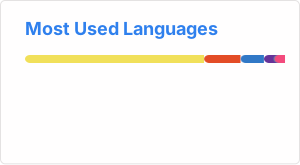
Compact Language Card Layout
Section titled “Compact Language Card Layout”You can use the &layout=compact option to change the card design.
Donut Chart Language Card Layout
Section titled “Donut Chart Language Card Layout”You can use the &layout=donut option to change the card design.
[](https://github.com/stats-organization/github-stats-extended)Donut Vertical Chart Language Card Layout
Section titled “Donut Vertical Chart Language Card Layout”You can use the &layout=donut-vertical option to change the card design.
[](https://github.com/stats-organization/github-stats-extended)Pie Chart Language Card Layout
Section titled “Pie Chart Language Card Layout”You can use the &layout=pie option to change the card design.
[](https://github.com/stats-organization/github-stats-extended)Hide Progress Bars
Section titled “Hide Progress Bars”You can use the &hide_progress=true option to hide the percentages and the progress bars (layout will be automatically set to compact).
Change format of language’s stats
Section titled “Change format of language’s stats”You can use the &stats_format=bytes option to display the stats in bytes instead of percentage.